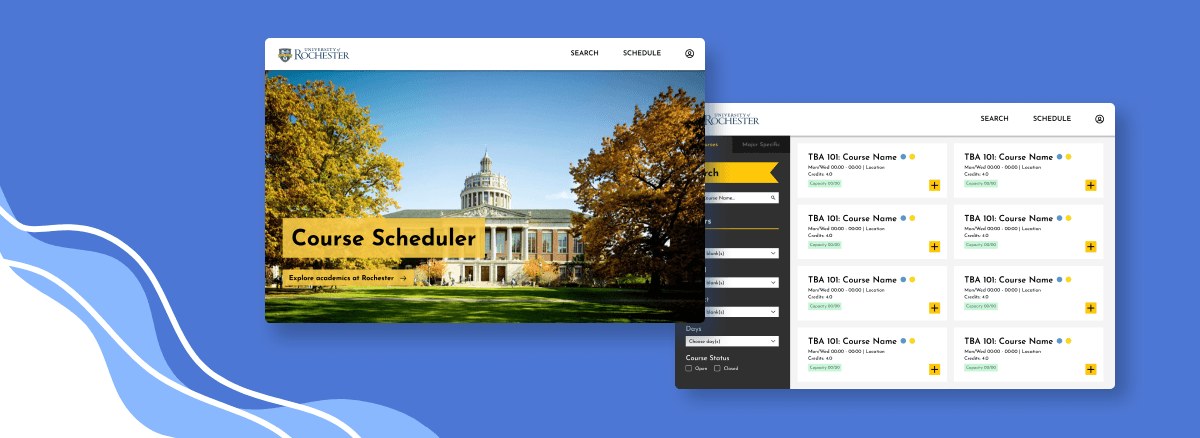
Course Scheduling Website
Date
Dec 2023
Role
UI/UX Designer
Overview
As part of the University of Rochester Design Hub, I joined a team of 6 designers. We designed a high-fidelity prototype of a new course scheduler website for students in order to resolve user pain points with the current course scheduler website.
The Problem
Students at the University of Rochester found UR Student, the course registration website, difficult to use. Unnecessary redirection of pages, unclear navigation buttons, and the absence of major-relevant course information made the website’s design unintuitive.
Below is an example of UR Student's frustrating user flow. Users must go through multiple menus and choices just to view a saved schedule, which is a crucial feature of the website. The back button also doesn't work as expected.

Goal
How might we change UR Student's design to make navigation and information searching easier for the user?
Solution
A website designed in Figma that streamlines the course registration experience.
Research Process
We conducted 2 student interviews and collected 33 survey responses by questioning the students’ course planning experience and impressions of UR Student.
Our key research takeaways:
Not enough information in one place
Complicated user flow
Inefficient use of space
Empathy Map
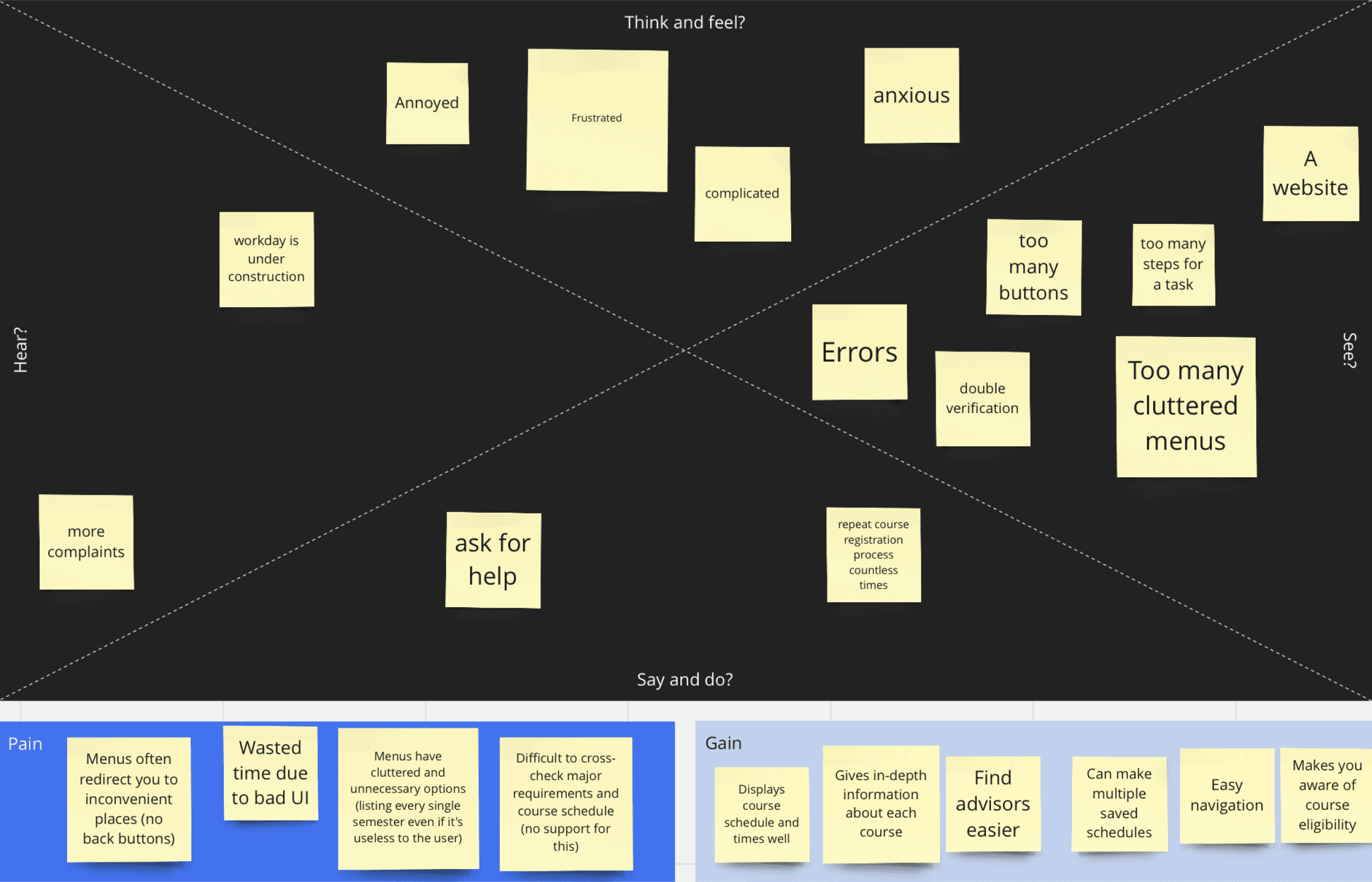
By constructing an empathy map using user feedback, we were able to find patterns in responses. This was the overall impression of UR Student:
Too many screens/buttons
Inconvenient navigation
Redundant tasks
Overall, a frustrating experience
Affinity Map
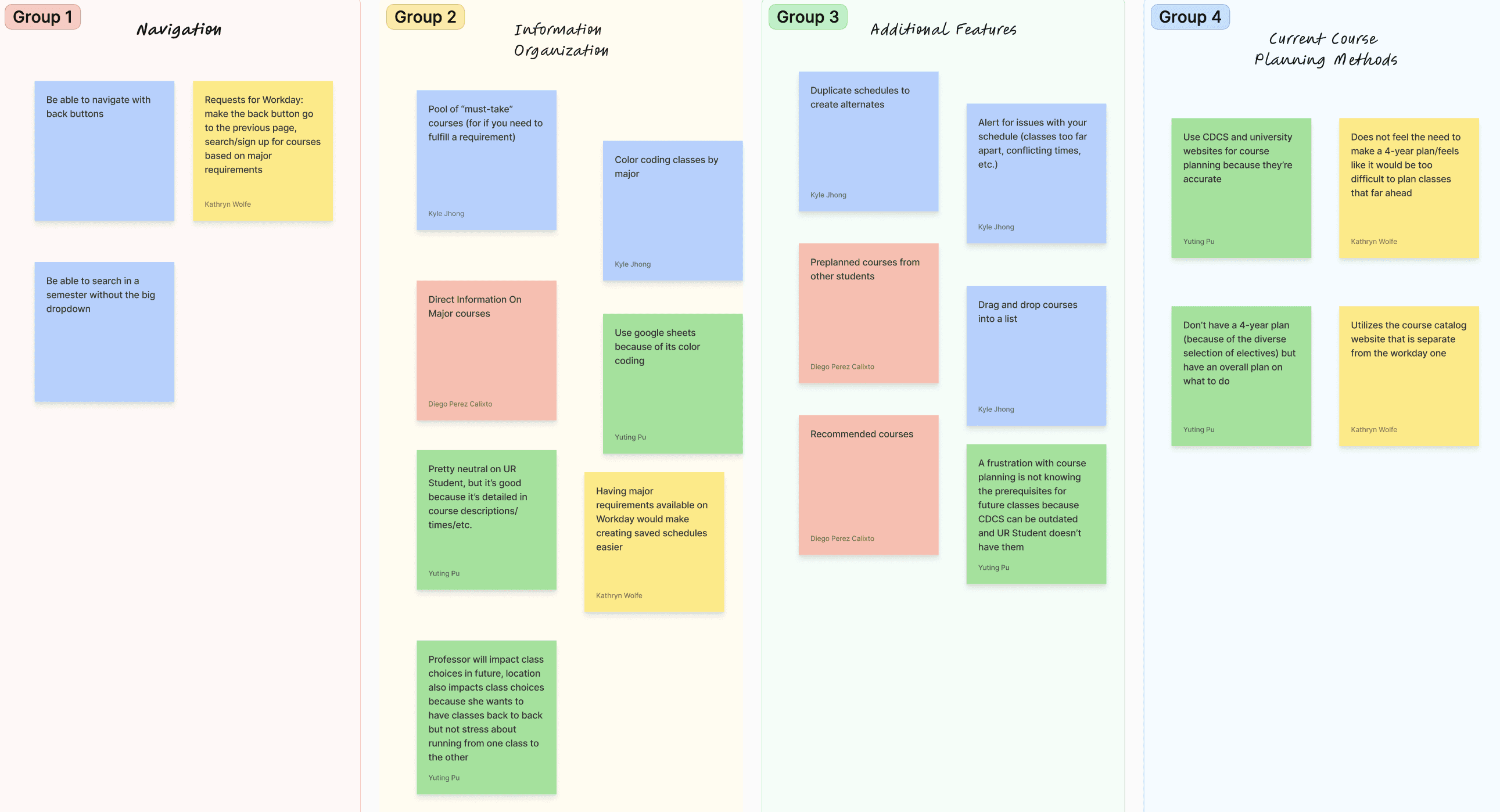
From there, we brainstormed ways to resolve user pain points:
Get rid of irrelevant info
Reduce need to cross-check websites for info
Organize info with visual cues (ie. colors)
Feasibility Matrix
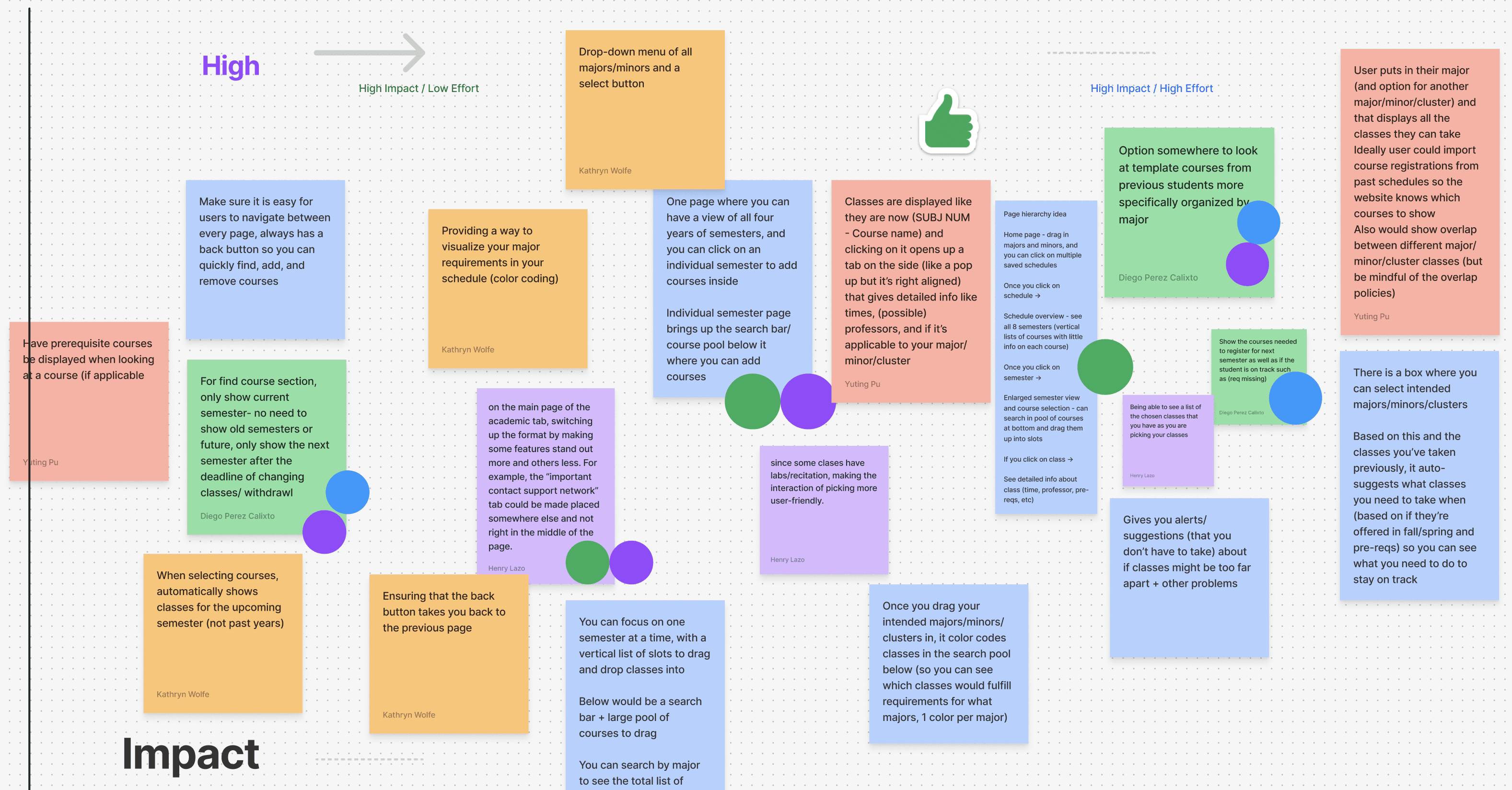
Based on our brainstormed ideas, we ranked how feasible our ideas would be. Here's what we focused on during our ideation:
Intuitive menus
Better information hierarchy
Improve sorting system for courses
Easy-to-use functions (like adding a course to a schedule)
Personalization for a user's specific majors/minors
Prototyping – Early Stages
Initial Wireframe
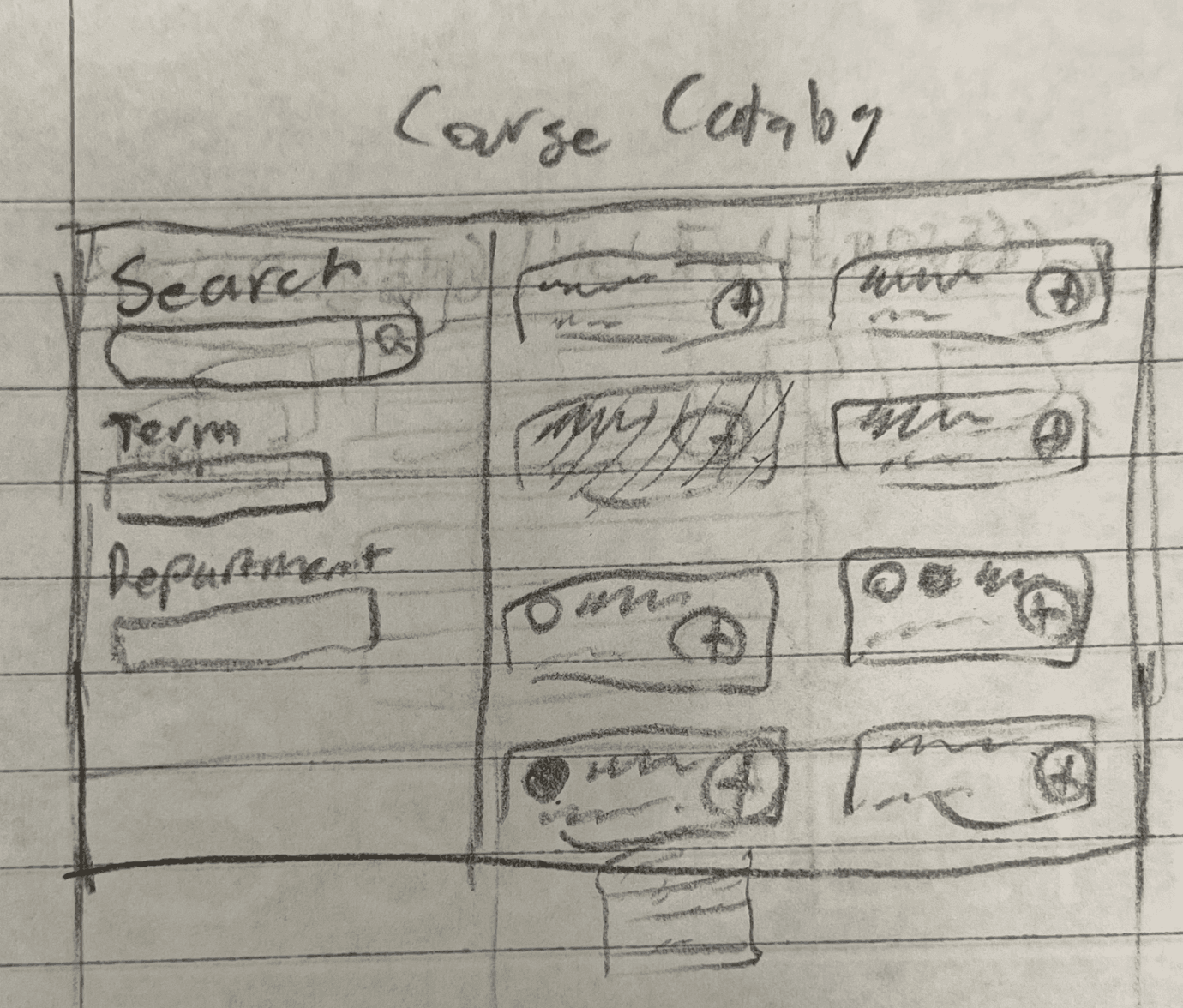
We wanted to prioritize simple organization and easy searching in this search design.
General Course Search Page
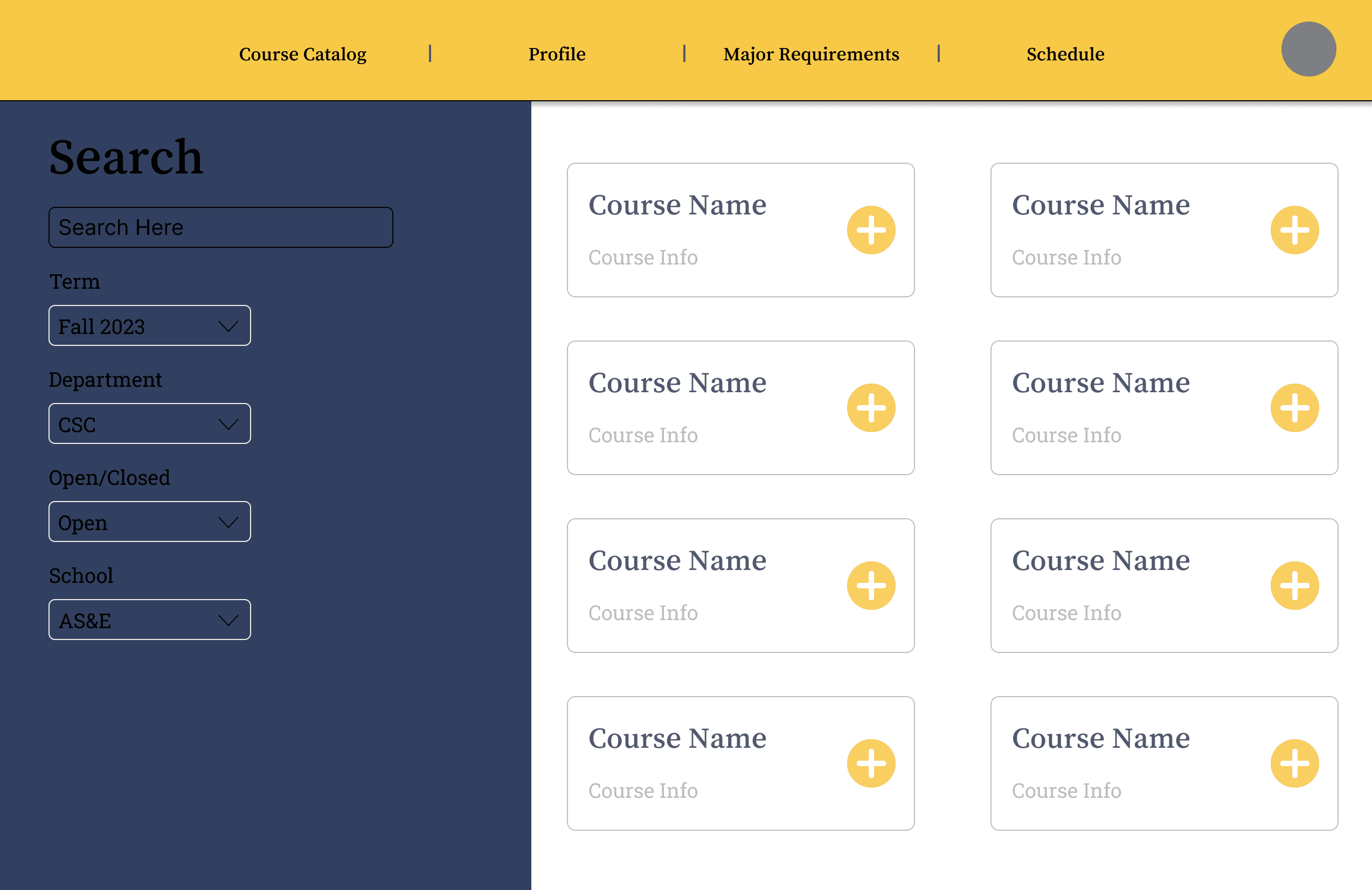
For this screen, we didn't want to overload the user with information. How did we do this?
Reduced the amount of terms the user could search by
Made the course cards larger
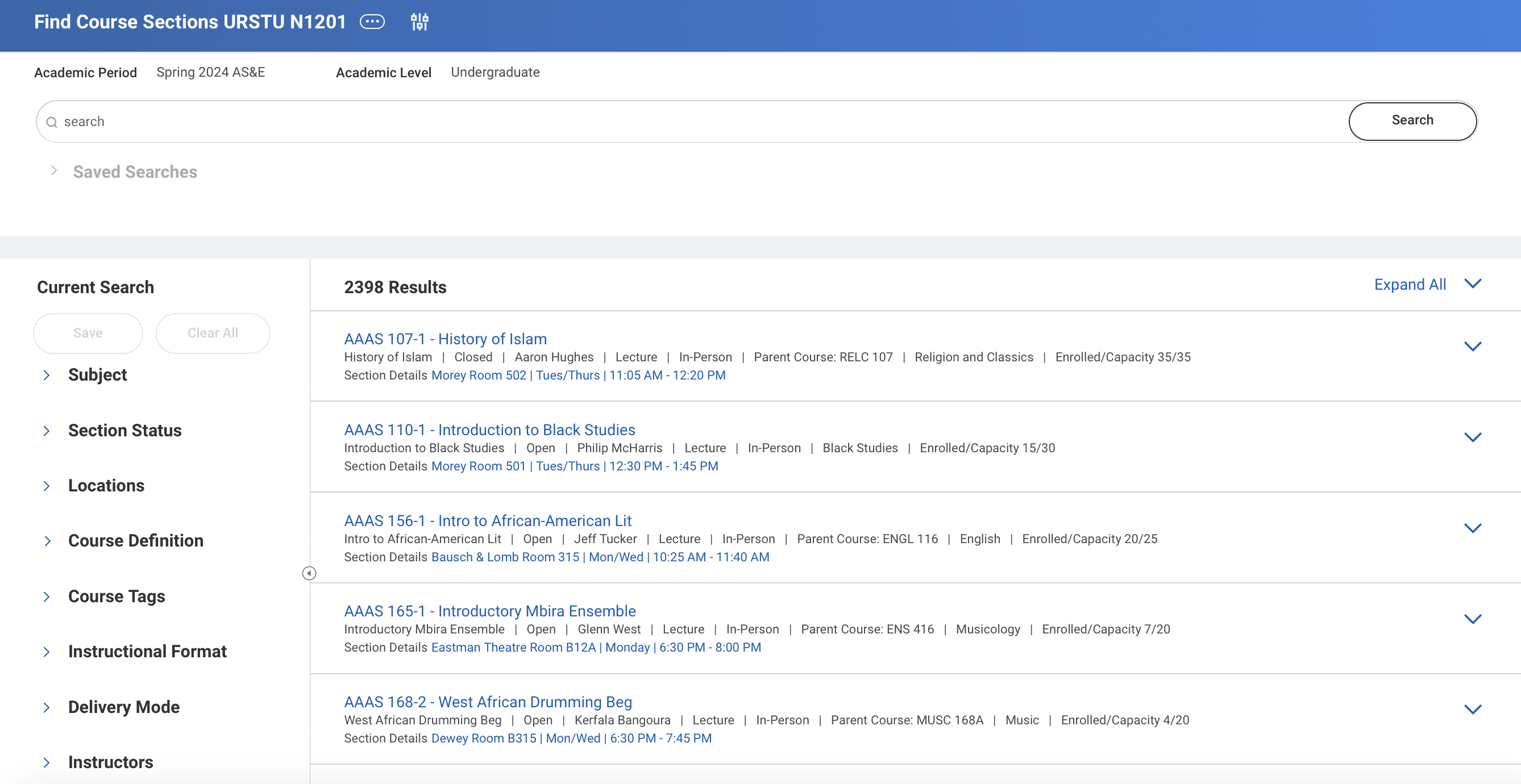
In comparison with UR Student, there's lots of space being taken up by different kinds of search filters.
Major Requirements Page
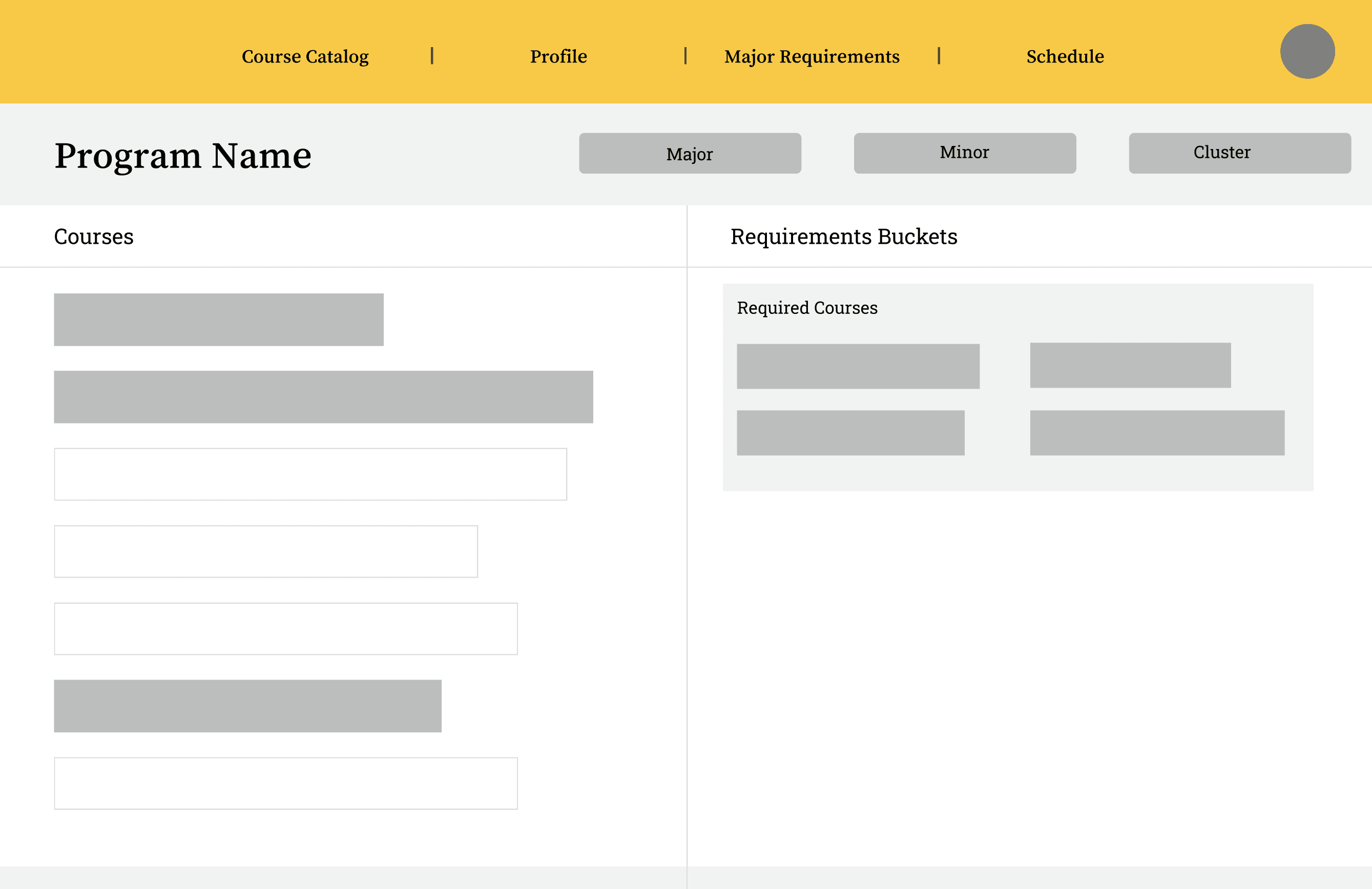
This page shows the user any courses that are required by their major. The gray boxes symbolize courses a user has already taken. The goals of this page were to:
Show a user their progress in their major
Reduce the need to cross-check other websites
Prototyping – Late Stages
Brand Identity
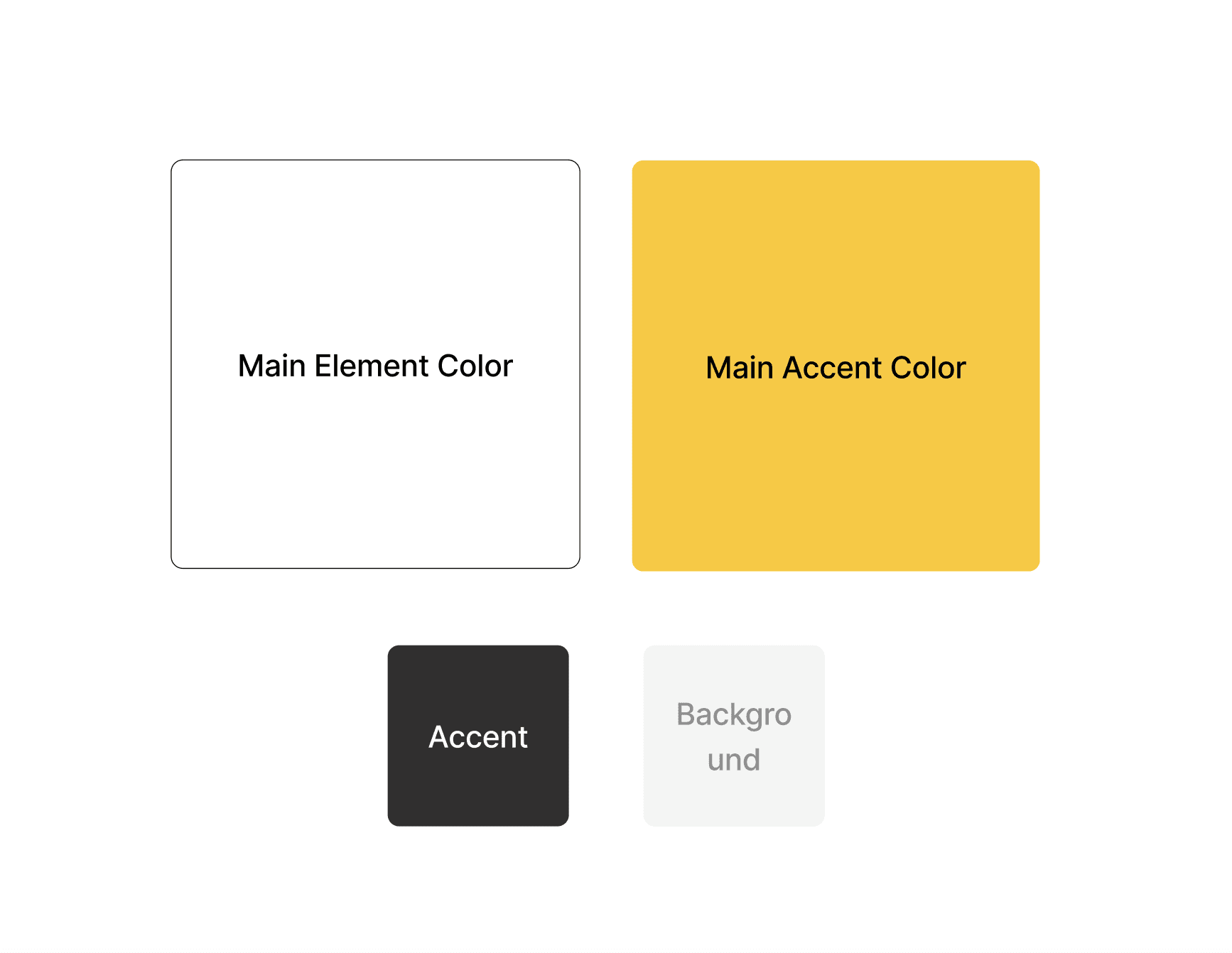
We based our brand on the University of Rochester's branding (blue, yellow, white)
Aimed for a sleek, almost grayscale design
Kept color palette simple to balance with the amount of information we offer
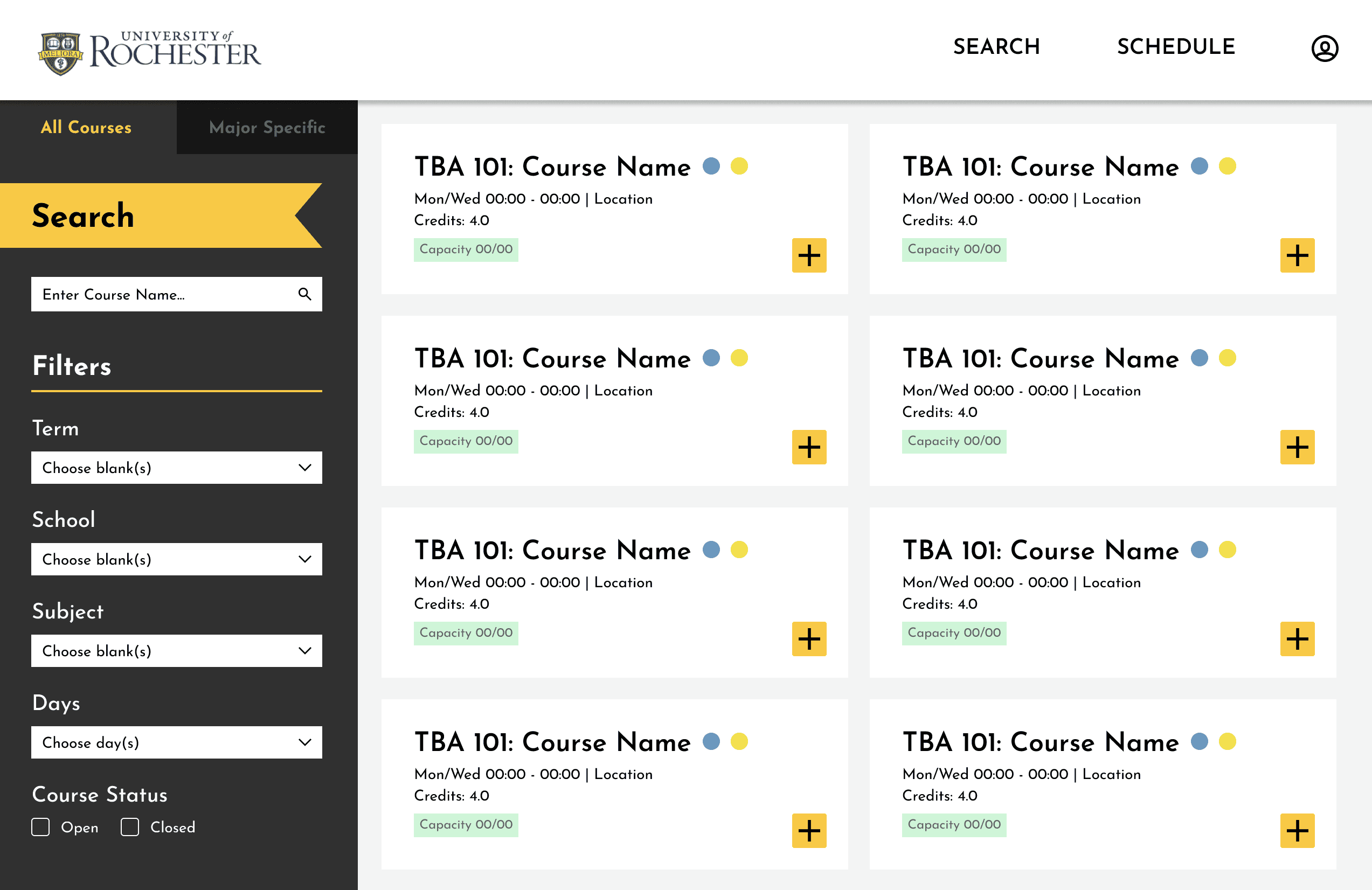
General Course Search Page
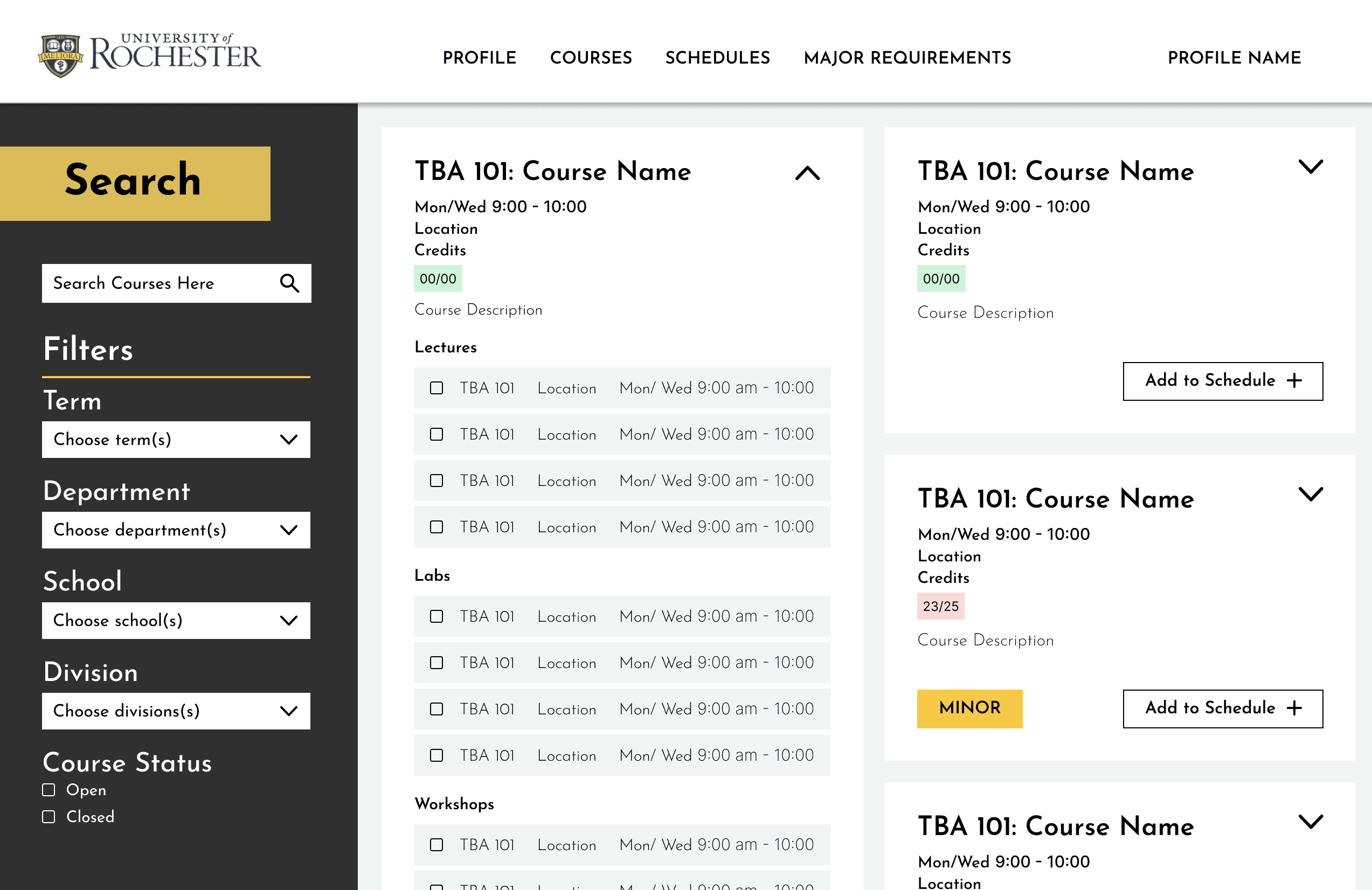
Here's what we refined from our early prototype:
Included condensed information on course cards so as to not overload the user with information
Only a few clicks were necessary to add a course to a schedule
Defined the most important search terms
Major Requirements Page
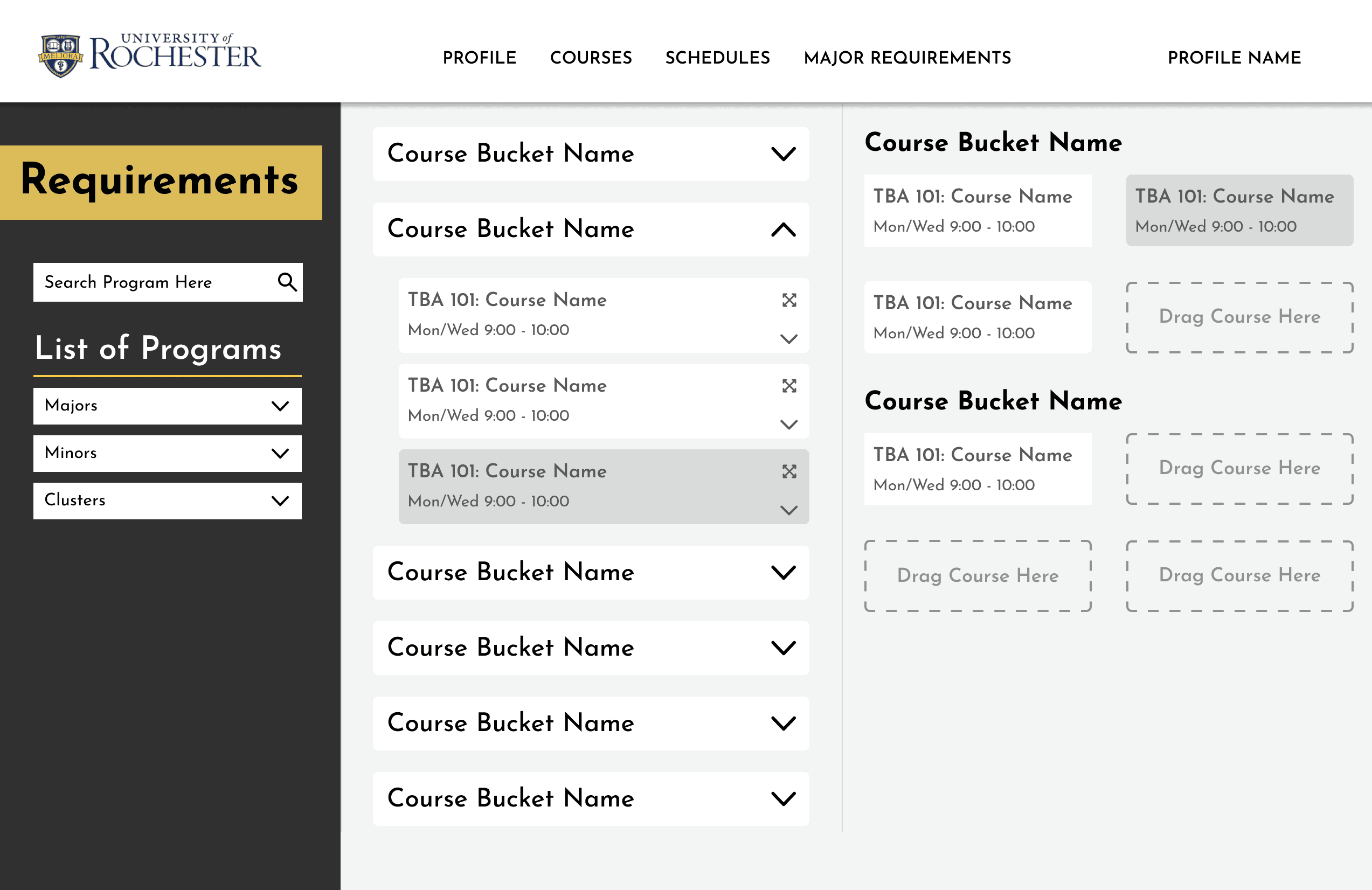
Here's what we refined from our early prototype:
Easy way to sort between courses for a major, minor, etc.
Course buckets (categories to fulfill within a major) with drop-downs of course options
Ability to drag a course from a bucket in the middle column to the rightmost column
Refinement
We realized that the search and major requirements pages looked too similar and could be condensed into one page. To do this without sacrificing information, we made a modal.
Course Modal - Step 1
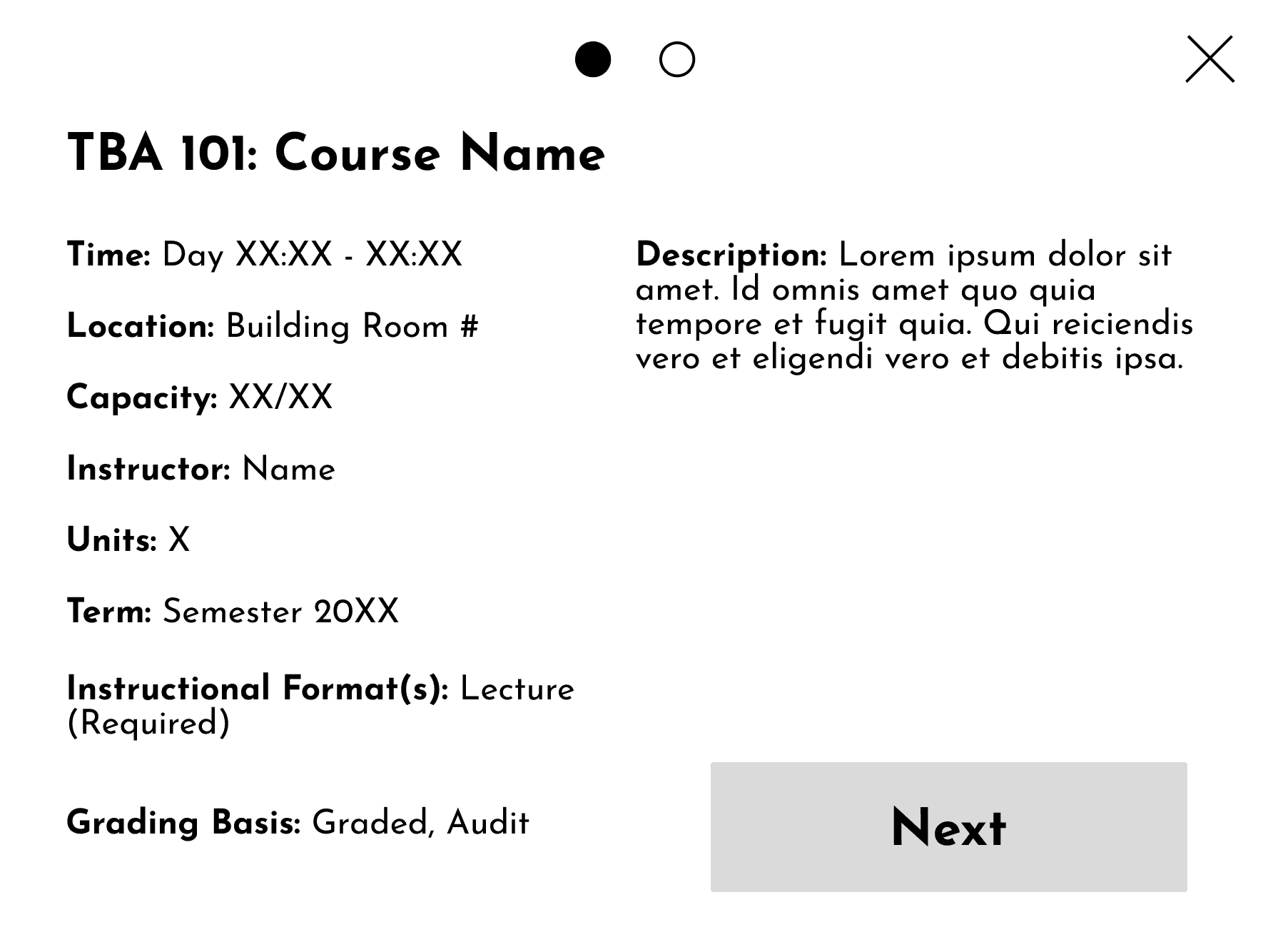
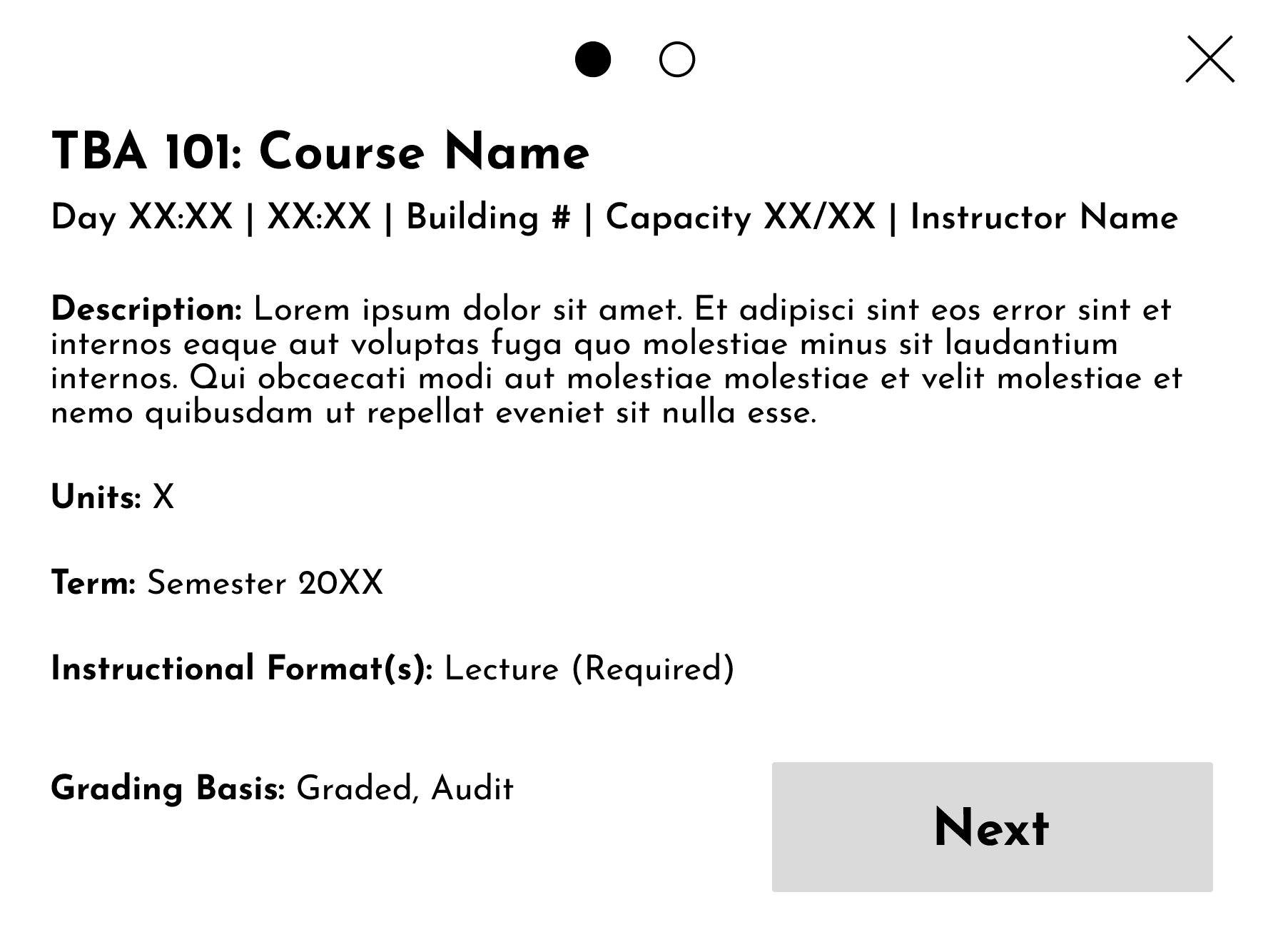
These are two different prototypes of the same screen for our modal. The first screen offers a more detailed course description than the search screen's cards.
Here's why we went with the screen on the right:
Better information hierarchy
Most important information included as a subheading
Less cluttered than the one on the left
Better use of negative space
Course Modal - Step 2
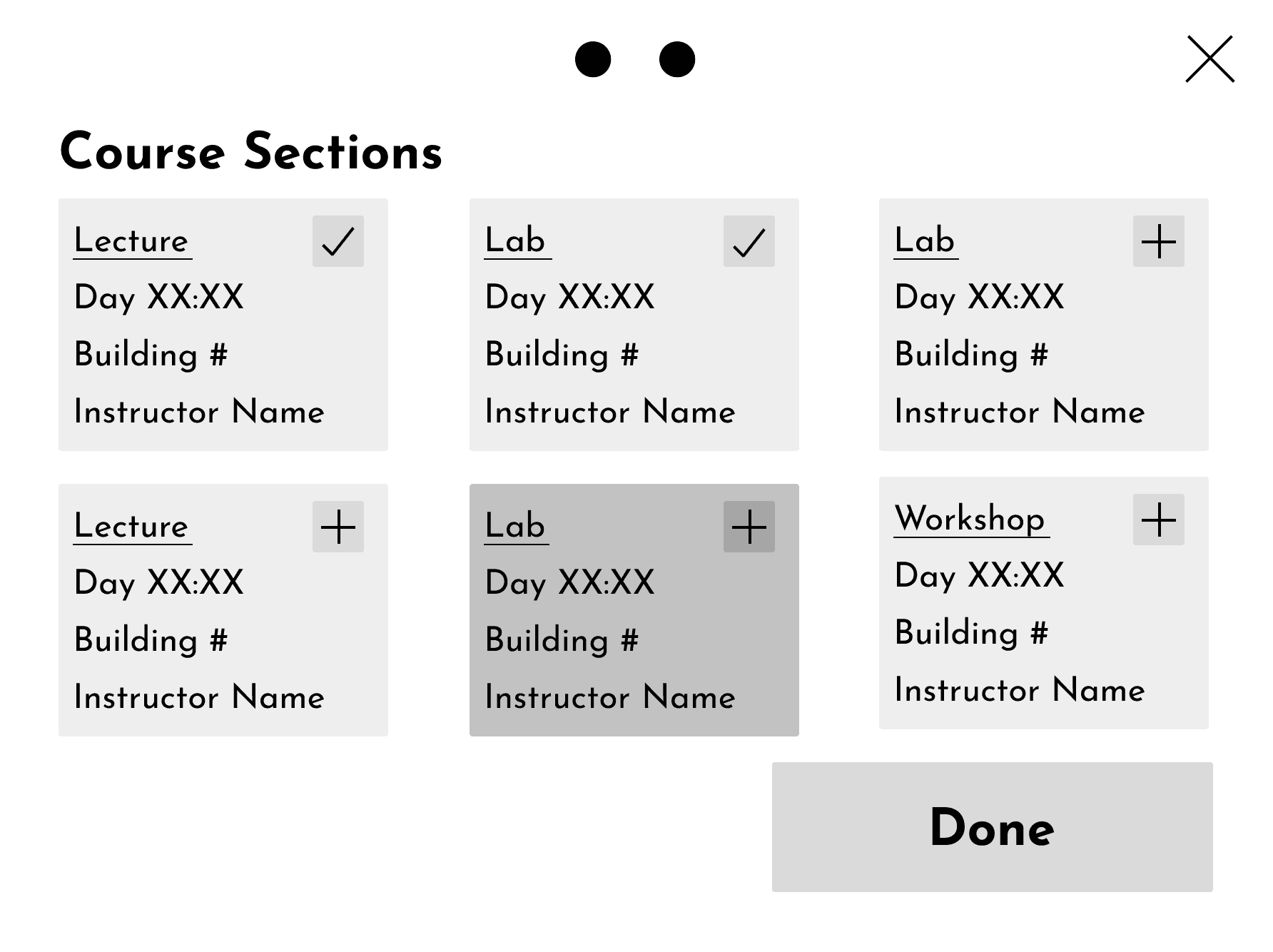
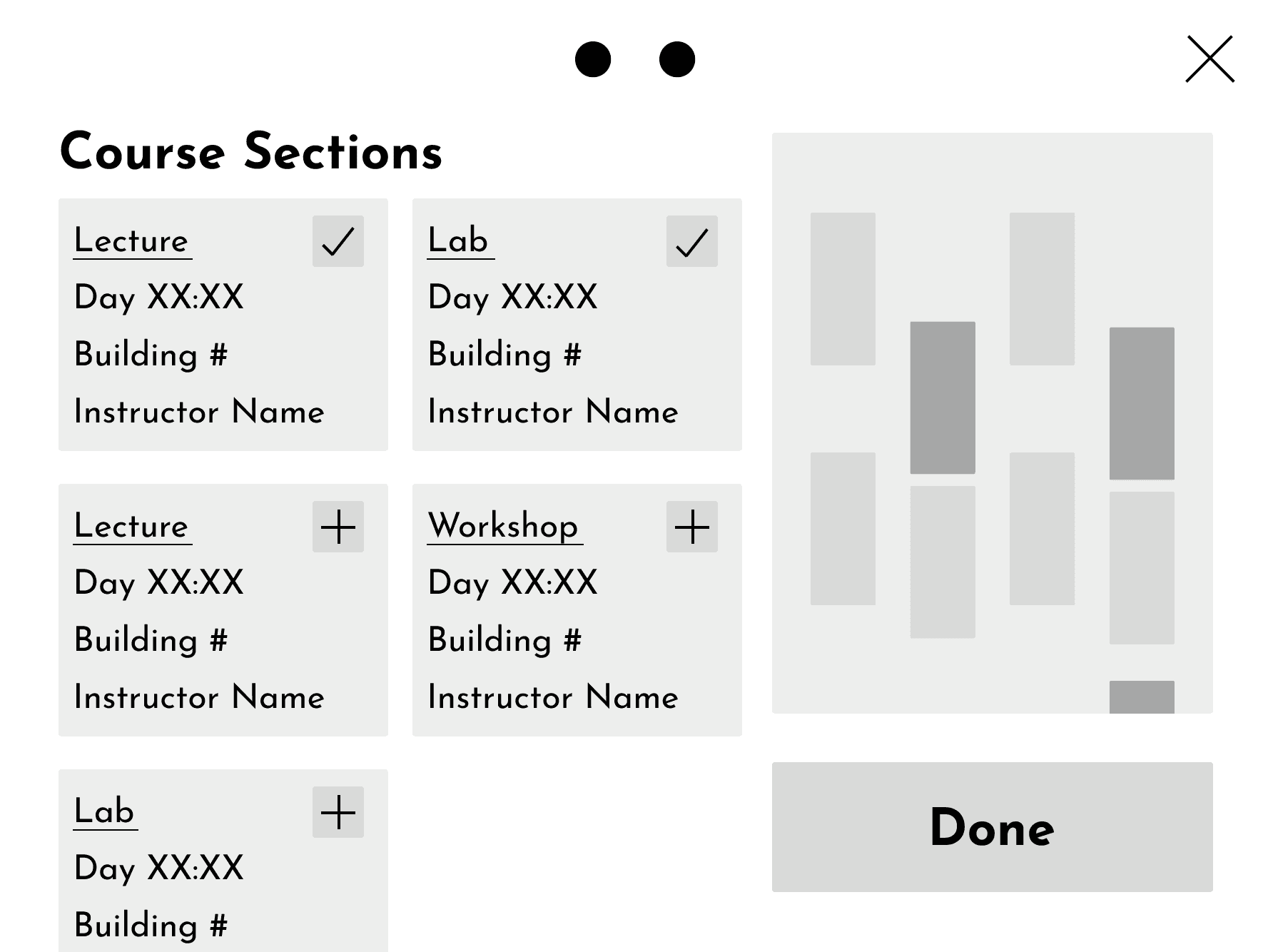
Final Product
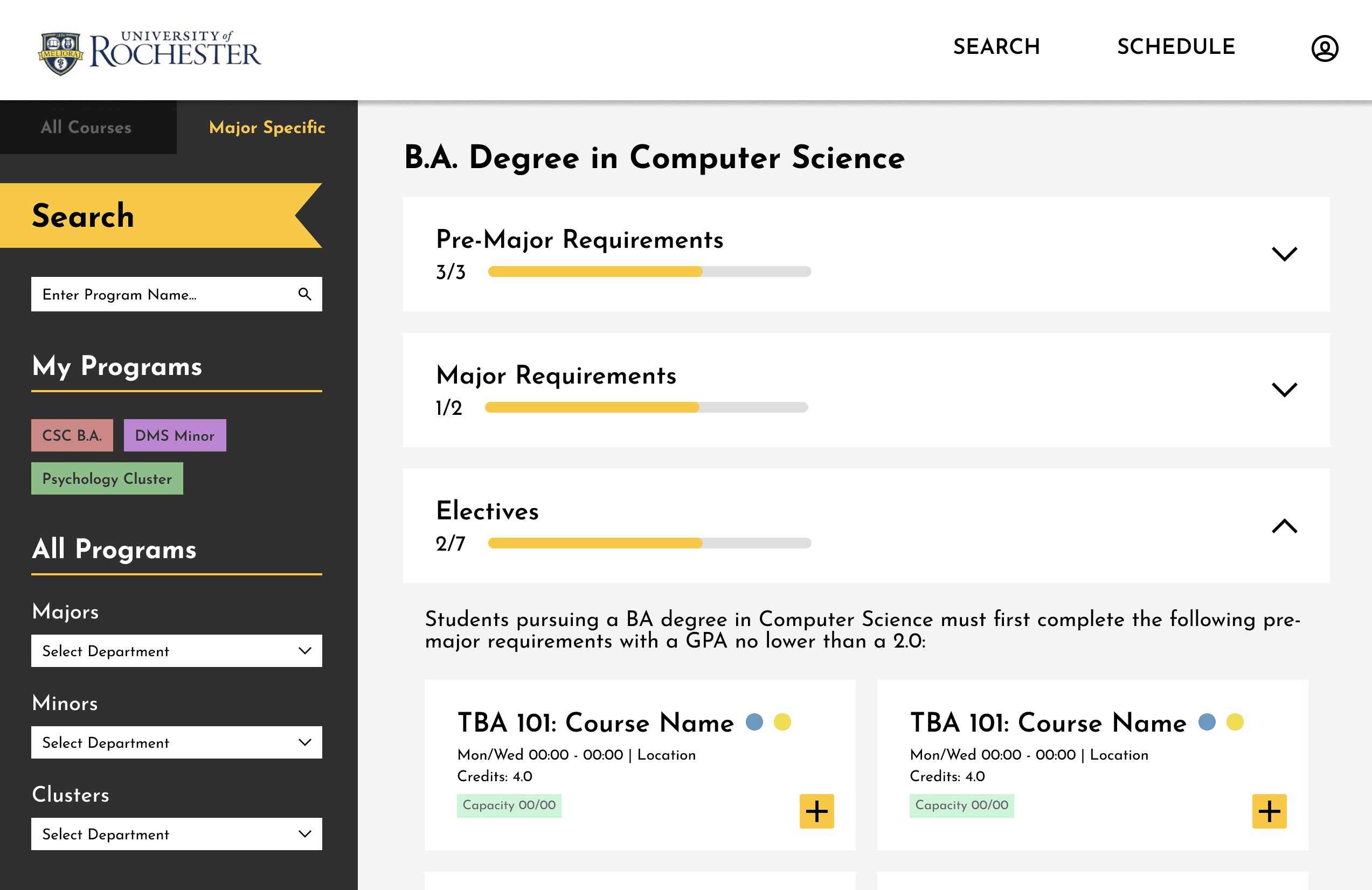
These are the final screens for our website. We kept the information contained to one page, with tabs for switching between a general and a major-specific course lookup.
Changes made:
General search and major requirements on one page
Tab to switch between the two
Shows user's major, minor, etc.
Can't drag courses into sub-requirement buckets anymore
Unnecessary when clicking a button can do the same thing (adding course to schedule)
General Course Search Screen
Major Requirements Screen

Reflection
Hypothetically, the major-specific screen would be linked to a profile page that would contain a user's major, minor, etc. This would create the filter for a specific department's major requirements on the major-specific screen.
We didn't have the time to make a fully fleshed out website that included user profile and saved schedules pages. If this website were to be fully developed, the profile page would play a large part in what information comes up on the search page. This profile would contain a user's major, minor, etc. that would determine the filters for our major-specific search screen. The addition of a schedule page would also be where users can view their courses in one place, and also create multiple schedules for course planning.